I Built a Script That Sorts Thousand of Files by Topic Using Claude AI — for Less Than a Dollar
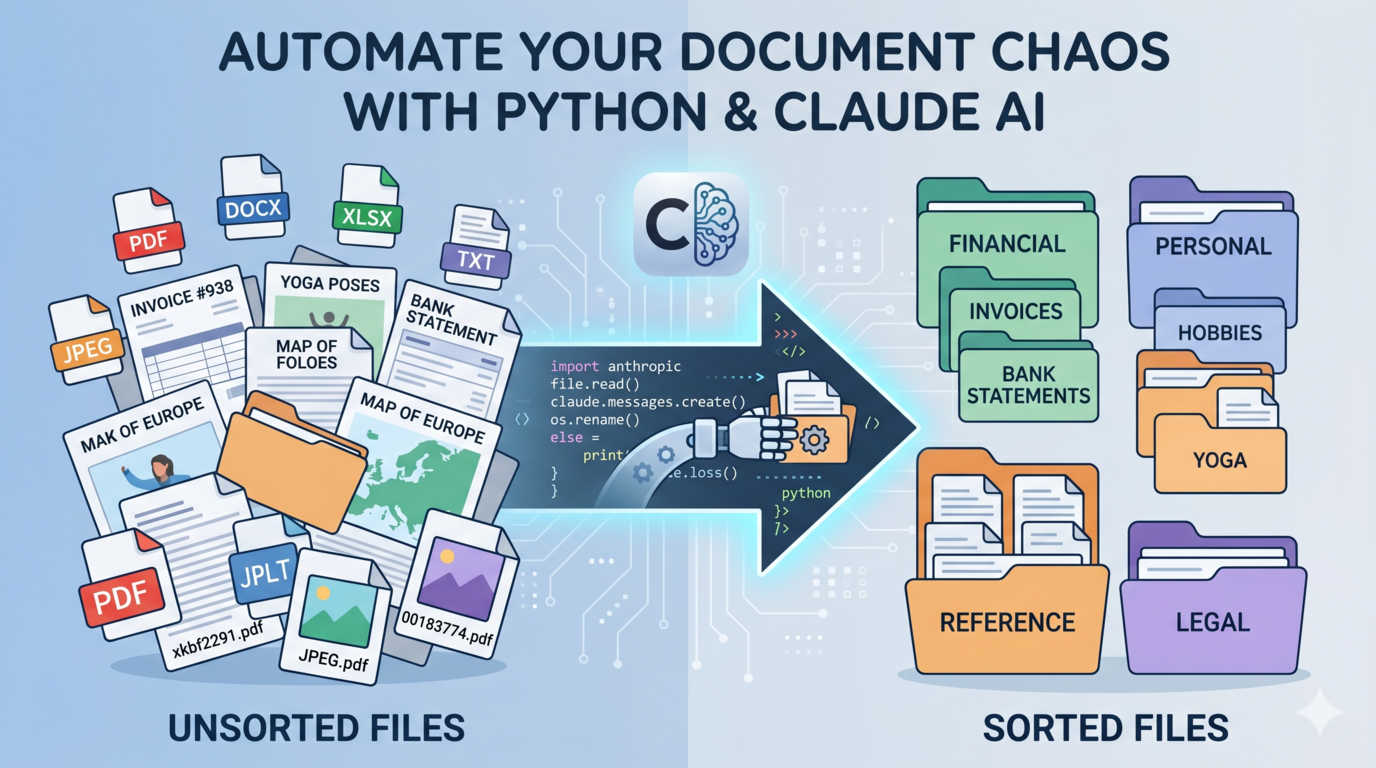
I had a folder with thousands of PDFs. Invoices next to yoga manuals next to scanned maps next to bank statements. Filenames like xkbf2291.pdf and 00183774.pdf. No structure whatsoever.
Manually sorting them wasn’t happening. So I built a Python script that reads each file, sends the content to Claude, and moves everything into topic folders automatically. It handles PDFs, Word docs, Excel files, plain text, images — basically whatever you throw at it.
The script is on GitHub: https://github.com/rcsmit/python_scripts_rcsmit/blob/master/sort_files_by_topic.py
The cost? Les than $5 for 30,000 documents if you use the Batch API with Haiku (Claude’s cheapest model). That’s not a typo. Images cost more: classifying 1,152 photos via Claude Vision came to $1.53. Screenshots tend to have high “information density”, I just renamed and sorted 800 screenshots for $1,63 — still cheap for what it does.
Here’s how it works.
What the script does
- Scans a folder recursively for supported files
- Extracts text from each one (first 2 pages for PDFs, first 50 rows for spreadsheets, OCR for images)
- Sends batches of 10 files to Claude for classification
- Moves each file into a subfolder named after its topic
- If the filename is meaningless (pure digits, UUID, random letters, Screenshot(xx) etc.), Claude suggests a proper name — included in the same API call, no extra cost
You run it with one command:
python sort_files_by_topic.pyThat’s it. No arguments needed.
Supported file types
- PDF via
pdfplumber - DOCX via
python-docx - DOC (legacy Word) via
antiword - XLSX / XLS via
openpyxl - TXT / CSV / RTF / HTML / HTM
- Images (JPG, PNG, TIFF, BMP, GIF, WEBP) via Claude Vision API — classified and described visually, no OCR needed
Setup
1. Install Python dependencies
pip install pdfplumber anthropic tqdm python-docx openpyxl pillow pytesseract striprtf2. Install system tools (optional but recommended)
For faster PDF extraction (5–10x faster than pdfplumber on large files):
# Mac
brew install poppler

# Ubuntu / Debian
sudo apt install poppler-utils
For legacy .doc files:
# Mac
brew install antiword

# Ubuntu / Debian
sudo apt install antiword
For image support (TIFF/BMP conversion):
pip install pillow3. Get an Anthropic API key
Go to console.anthropic.com, create an account, add a payment method, and generate a key under API Keys. Copy it immediately — you won’t see it again.
New accounts get ~$5 in free credits. For 10,000 files you need about $8, so add €10–15 to be safe.
Set the key as an environment variable:
# Mac / Linux
export ANTHROPIC_API_KEY="sk-ant-..."

# Windows Command Prompt
set ANTHROPIC_API_KEY=sk-ant-...

# PowerShell
$env:ANTHROPIC_API_KEY="sk-ant-..."
To make it permanent, add the export line to your ~/.bashrc or ~/.zshrc.
Configure the script
Open sort_files_by_topic.py and set two lines near the top:
INPUT_DIR:  Path = Path(r"C:\path\to\your\files")   # where your files live
OUTPUT_DIR: Path = Path(r"C:\path\to\sorted")        # created automatically
The output directory is created if it doesn’t exist. All sorted files land there in topic subfolders.
You can also customize the topic list. The default covers 20 topics:
DEFAULT_TOPICS: list[str] = [
    "Finance & Accounting",
    "Legal & Contracts",
    "Medical & Health",
    "Technical & Engineering",
    "Science & Research",
    "Business & Management",
    "Education & Training",
    "Government & Policy",
    "Human Resources",
    "Marketing & Sales",
    "Real Estate",
    "Sheet music",
    "Travel & Tourism",
    "Art & Culture",
    "Spiritual & Yoga",
    "Service Quality",
    "Bank accounts",
    "Manuals",
    "Tourism",
    "Maps",
    "Other",
]
Change these to whatever fits your collection.
Run it
python sort_files_by_topic.pyThe script uses the Anthropic Batch API by default. This means it submits all the classification requests in one go, waits for Anthropic to process them (usually 15–60 minutes for large batches), then downloads the results and moves the files. The Batch API costs 50% less than real-time API calls — that’s where the $0.50 / 600 files number comes from.
If you want results immediately and don’t mind paying double:
python sort_files_by_topic.py --standardOther useful flags:
python sort_files_by_topic.py --dry-run    # preview without moving anything
python sort_files_by_topic.py --copy       # copy instead of move (keep originals)
python sort_files_by_topic.py --verbose    # see what's happening in detail
Resume support
The script writes a sort_progress.json file to the output directory. If it crashes or you stop it, re-running picks up exactly where it left off. Files already processed are skipped. Don’t delete this file unless you want to start over.
Smart renaming
Files with useless names get renamed automatically. The script detects:
- Pure digit filenames (
00183774.pdf) - UUIDs (
3f2504e0-4f89-11d3-9a0c-0305e82c3301.pdf) - Random character strings (
xkbf2291.pdf) - Names with fewer than 40% letters
- Image filenames as
DCIM_2938.jpgorScreenshot (344).jpg
For those, Claude suggests a descriptive name (max 50 characters) based on the file content. This happens inside the same API call as the classification — no extra tokens, no extra cost.
Cost breakdown
Based on real usage and current Haiku 4.5 pricing this is the theoretical pricing
| Files | Batch API | Standard API |
|---|---|---|
| 600 | ~$0.50 | ~$1.00 |
| 1,000 | ~$0.80 | ~$1.60 |
| 5,000 | ~$4.00 | ~$8.00 |
| 10,000 | ~$8.00 | ~$16.00 |
The main variables are average file size and how much text gets extracted. Scanned image-only PDFs (no text layer) use almost no tokens. Dense text documents use more.
In reality I sorted and renamed 30.000 documents for less than 5 dollar!
Note: Images are classified via Claude Vision, not the Batch API. Classifying 1,152 photos cost €1.53 at standard rates. Screenshots tend to have high “information density”, I just renamed and sorted 800 screenshots for $1,63
What doesn’t work well
Images are classified visually by Claude Vision — no OCR. This means it understands what’s in the photo, not just text on it. Very dark, blurry, or heavily compressed images may get a less accurate description.
Old .doc files only work if you have antiword installed. Without it, those files are skipped.
Files where no text can be extracted at all (blank pages, pure image PDFs without OCR) get classified as “Other” based on the filename alone.
The script is on GitHub: https://github.com/rcsmit/python_scripts_rcsmit/blob/master/sort_files_by_topic.py